
Connect your bank
FinanceView pulls your charges through SimpleFIN, a small service built for exactly this. Here is every screen you'll see, in order, so nothing surprises you.
Before you start
- What it is: SimpleFIN is a separate service that fetches your bank charges. FinanceView uses it so we never touch your bank password.
- Cost: $15 a year, paid to SimpleFIN, not to us.
- Time: about 5 minutes, once.
- Have ready: your email and your online-banking login.
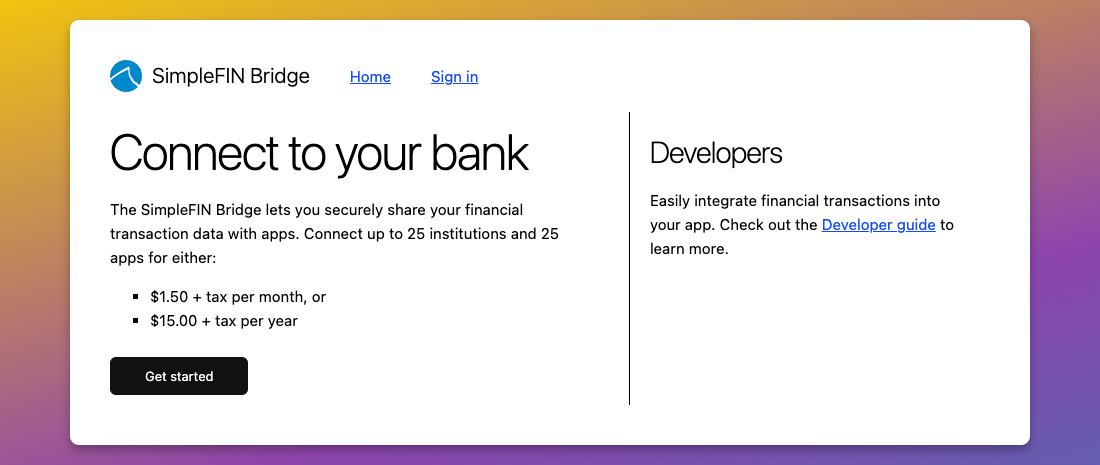
Same page the button inside FinanceView opens.
STEP 1 Open SimpleFIN and click Get started
The button above (and the one inside FinanceView) lands here. Click Get started.
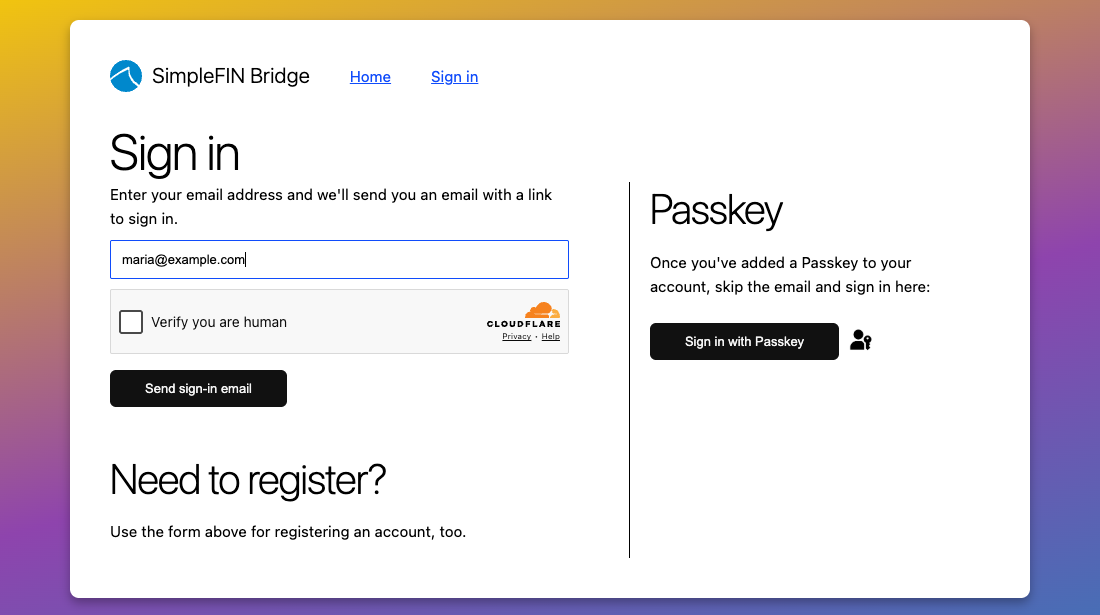
STEP 2 Enter your email
Type your email, tick Verify you are human, and click Send sign-in email. New here? The same form registers your account. There is no separate signup.
STEP 3 Open the email and click the sign-in link
SimpleFIN emails you a sign-in link. Open your inbox and click it. That signs you in. No email after a minute? Check spam.
STEP 4 Pay $15 for the year
This is SimpleFIN's own charge, once a year. It keeps your bank connection running.
STEP 5 Sign in to your bank
SimpleFIN asks you to pick your bank and sign in. This happens on SimpleFIN's secure page. Your password goes to your bank, never to us.
Your bank may text you a code or ask a security question. Answer it the way you normally would. Every bank's screens look different, which is why there is no picture here.
STEP 6 Copy the setup token
SimpleFIN shows a long block of letters called a setup token. Copy the whole thing.
STEP 7 Paste it back in FinanceView
Return to FinanceView. It may spot the token on your clipboard and offer a one-click Connect. If not, paste the token in the box and press Connect. Your charges land in a few seconds.
Stuck?
If the token box says the code doesn't look right, go back to SimpleFIN and copy the whole token again. It is easy to miss the ends. If a bank connection breaks later, FinanceView shows a fix at SimpleFIN link that takes you to the right page.